SantaSurprise is a feature built to give users the opportunity to experience quality products and services easily, conveniently, and completely free of charge through the SantaPocket system. Let's see how to receive SantaSurprise gifts from A-Z through the following article.
1. Register to receive gifts
Surprising and interesting gifts will be delivered to your home after you successfully register to receive gifts from Santa through the following steps:
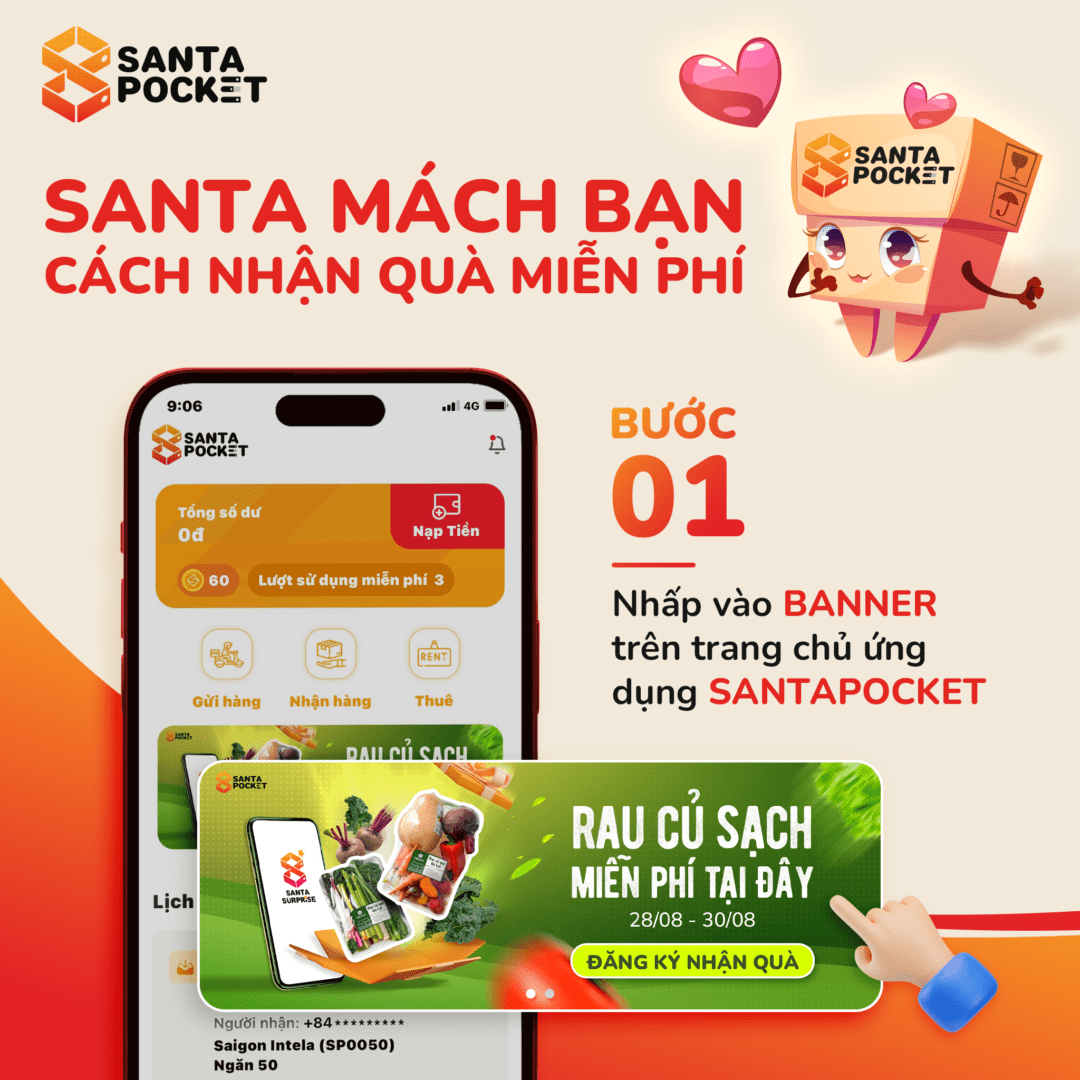
1️⃣ Open the SantaPocket app, click on the SantaSurprise registration banner on the home page
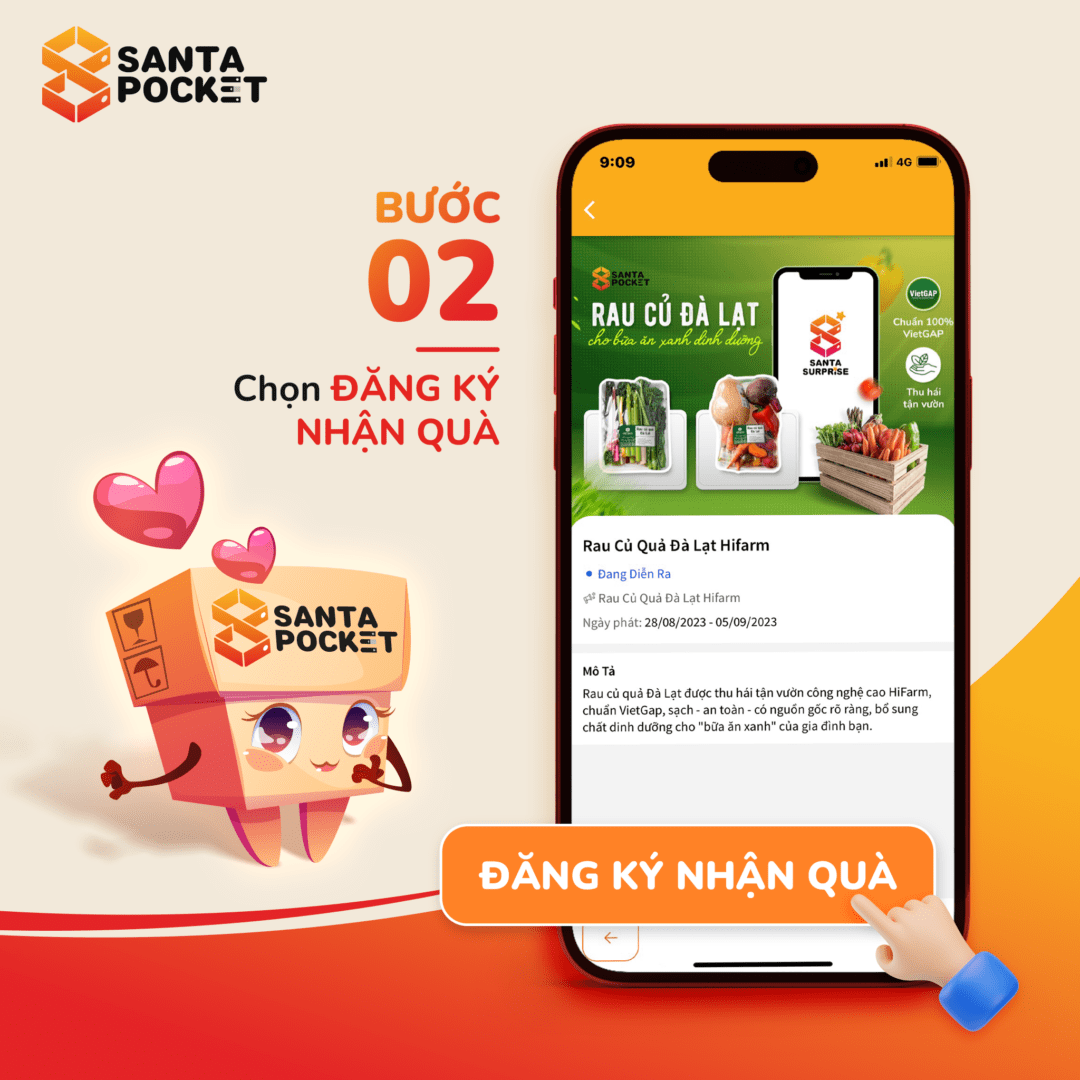
2️⃣ Choose to register to receive gifts
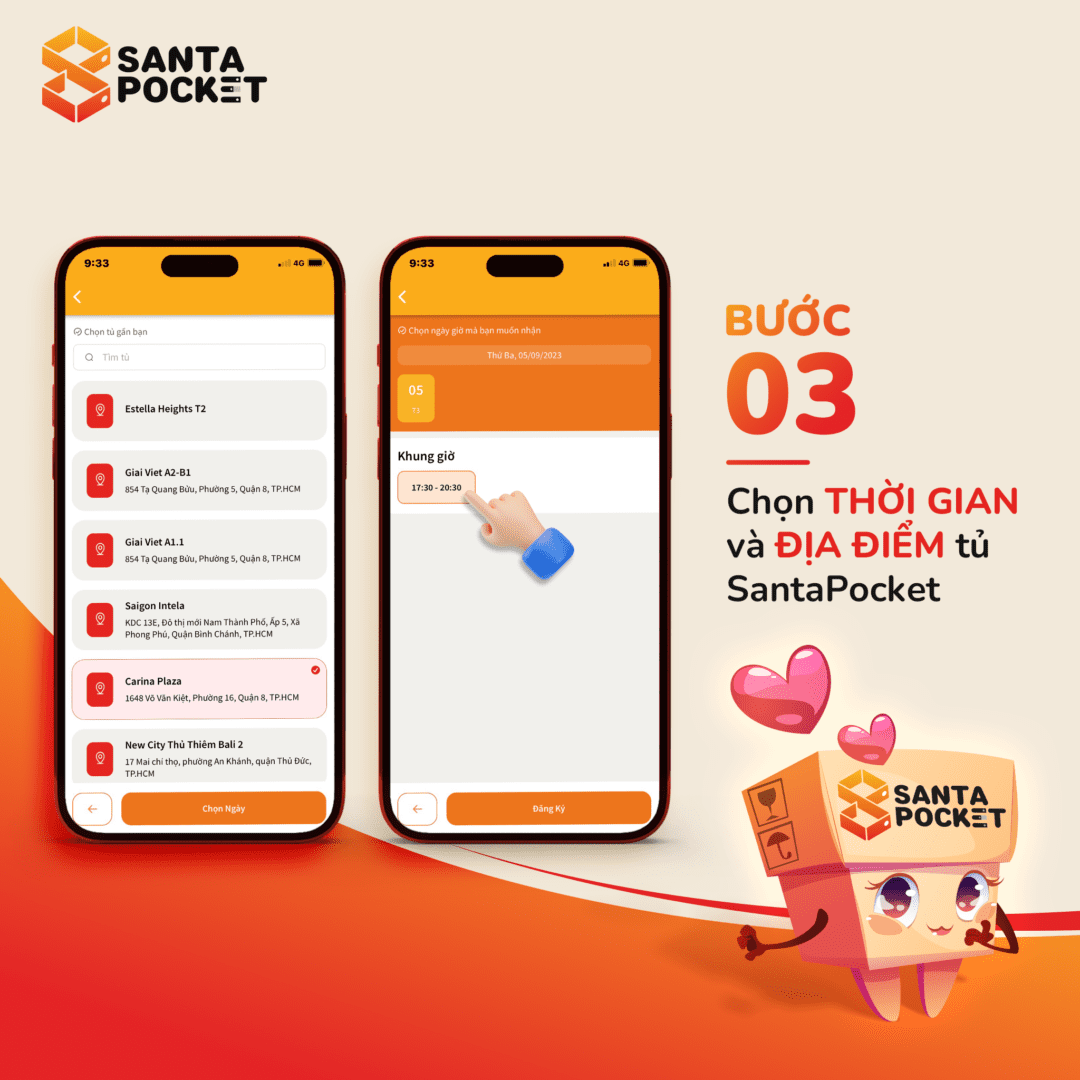
3️⃣ Choose a time and location to receive gifts
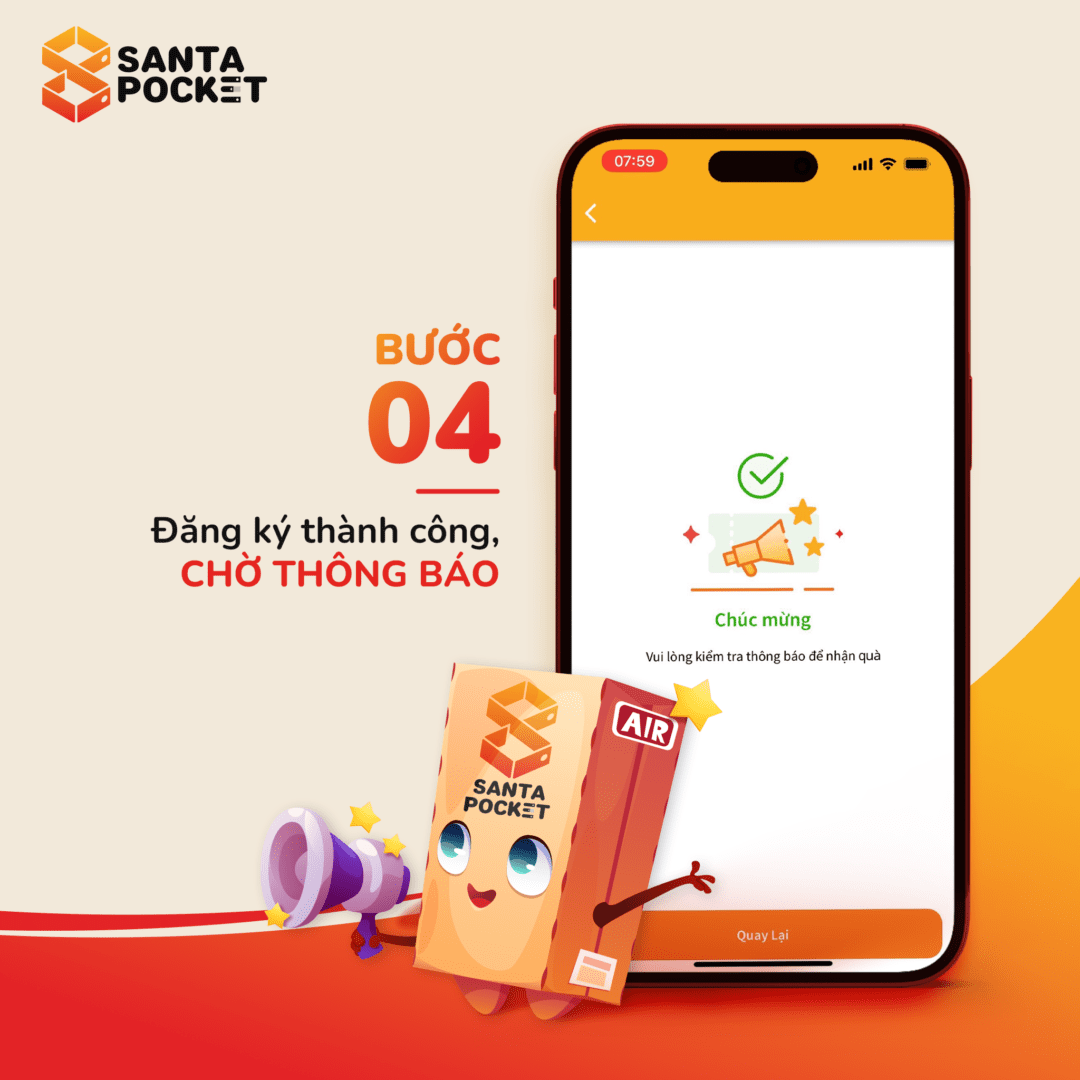
4️⃣ Receive notification of successful registration
Information about the program, registration opening time and gift receipt time will be regularly updated on SantaPocket's media channels. So don't forget to follow Santa so you don't miss any gift giving!
2. Delivery information
- Time to receive gifts: Is the time period you choose during the registration process to receive gifts. Santa will deliver the gifts at that exact time frame, so please take some time to meet Santa to pick up the gifts.
- Pick up location: Shipper will deliver the gift to the SantaPocket you selected when registering.
- How to receive SantaSurprise goods: Users go to the SantaPocket smart delivery cabinet and receive goods as usual.
Don't forget to regularly follow notifications on the SantaPocket app to get the latest updates on your gifts.
Note:
- Customers please come to receive gifts within the registered time frame. If outside the specified time, the gift will be recovered by SantaPocket.
- The gift will be sent to the correct SantaPocket location that you registered.
- If within the selected time period you have not received notification about the package, please contact the hotline for support as soon as possible.
Hopefully the above information can help you have the best experience with SantaSurprise. If you have any questions about the program, please contact Santa hotline now!